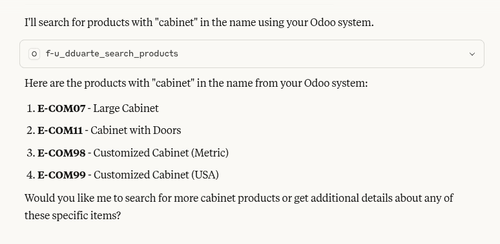
Unlocking AI Superpowers in Odoo
Imagine simply asking your Odoo system: “How many sales did we make last month?” … and getting the answer instantly. Or telling it: “Please send out all pending invoices tomorrow.” … without clicking through menus or running complex reports.
 Diogo Duarte
· Jul 4, 2025
Diogo Duarte
· Jul 4, 2025 
Streamlining Shopping
Discover how Odoo 18.0 enhanced Click and Collect feature simplifies online shopping and in-store pickup. Learn how to configure it for seamless customer experiences.
 Verónica Pinto
· Jun 23, 2025
Verónica Pinto
· Jun 23, 2025 
Top 5 Ways Odoo Can Save Your Business Money
Odoo isn’t just about efficiency; it’s a smart way to save money. This article covers 5 key areas where Odoo can cut costs and help your business run leaner.

Mastering the Planning Module in Odoo
Everything you need to streamline scheduling and keep your teams aligned. Perfect for HR managers, operations leads, and planning coordinators.
 Raquel Martins
· Jun 2, 2025
Raquel Martins
· Jun 2, 2025 
From Shopify to Alokai with Odoo
A practical guide for merchants who have out-grown Shopify and want the freedom of a composable stack—combining Alokai’s headless storefront with Odoo’s all-in-one business suite—covering costs, customization, modern hosting options, and why most brands earn their money back in roughly two years.
Diogo Duarte
· May 23, 2025 
Is It Time to Move Your Odoo to Self-Hosting—or Away From Odoo.sh?
A practical guide to knowing when a growing business should stay on Odoo.sh and when it’s time to migrate to a self-hosted Odoo instance—covering cost, control, security, performance, and compliance considerations.
Diogo Duarte
· May 19, 2025 
Resupply Subcontractor
Unlock seamless subcontracting workflows in Odoo 18! This post walks you through enabling the Subcontracting feature and automatically sending components to your external partners—so you can keep production flowing, protect your equipment investments, and minimize labor headaches.
 Adriana Duarte
· May 12, 2025
Adriana Duarte
· May 12, 2025 
Quick Guide to Odoo Financial Reports
This guide walks you through the essential financial reports in Odoo, including the balance sheet, profit and loss statement, cash flow report, aged receivables, and aged payables. It explains what each report shows, how to read them, and how they can help you make better business decisions.

The Right Way to Track Loans and Assets in Odoo
Assets and loans are closely linked in accounting, but Odoo treats them separately by default. This guide walks you through a practical, unified setup that ties them back together—automating depreciation, loan repayments, and reporting, all in one place. Whether you're after clarity, compliance, or just fewer headaches at month-end, this is the setup you’ve been looking for.
Raquel Martins
· Apr 23, 2025 
Understanding Analytic Accounting in Odoo: A Complete Guide
Tracking costs and revenues in detail is essential for making smart business decisions. Odoo’s **Analytic Accounting** feature provides your business with the tools you need to monitor financial data by specific projects, departments, or cost centers. This allows for more detailed and useful insights when doing your company’s accounts.
Raquel Martins
· Apr 16, 2025